April 22, 2026
inflee blog and guide are live, and chat got easier
We opened our blog and user guide. We refined chat with stage guidance, tappable links and file downloads, and added a “no response” status, a refreshed account info screen and deadlines counted from the payment completion date.
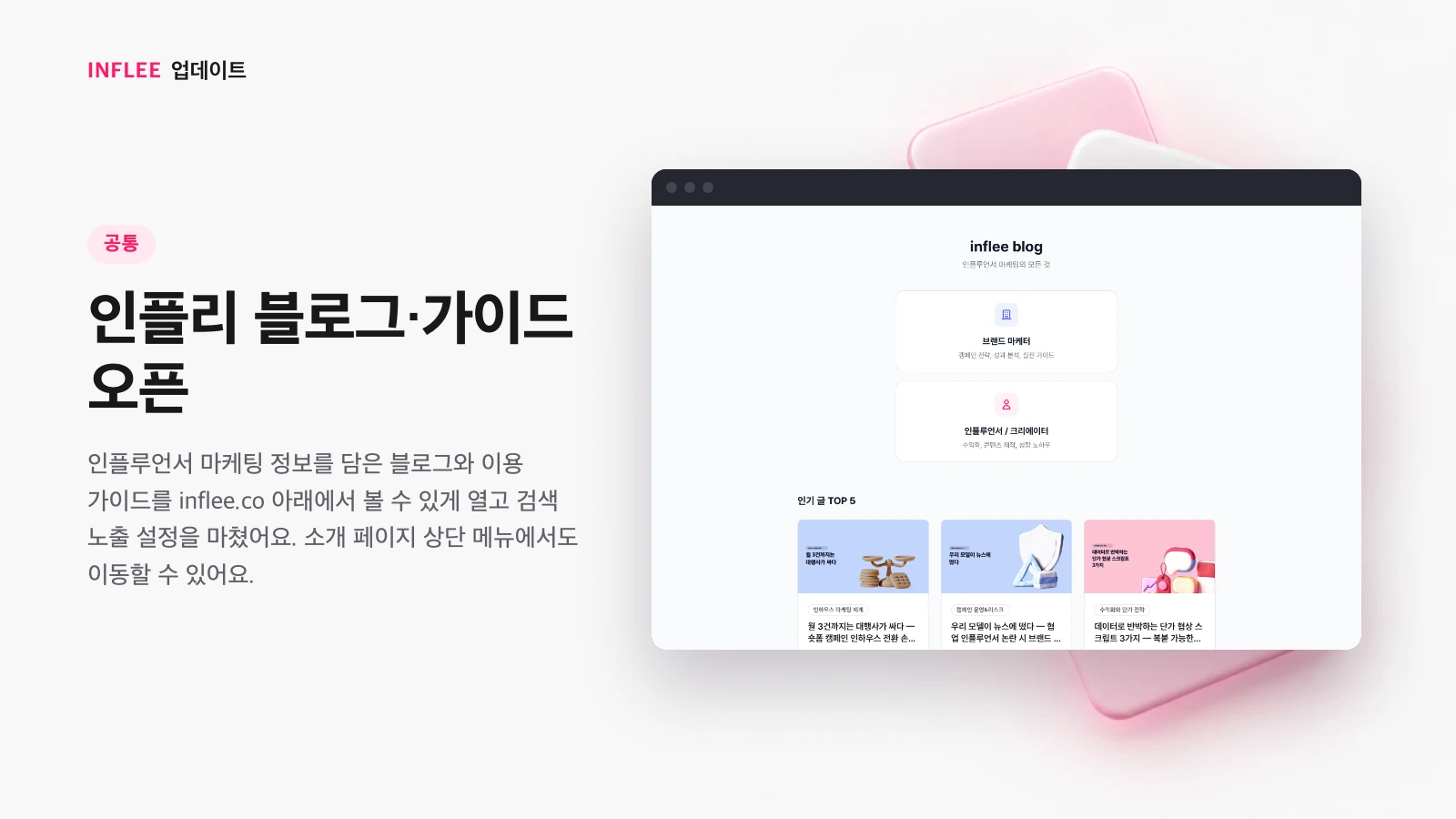
inflee blog and guide are live
Our blog with influencer marketing tips and our user guide are now live under inflee.co, with search visibility set up. You can also get there from the top menu of our intro page.
Our blog with influencer marketing tips and the inflee user guide are at inflee.co/blog and inflee.co/guide. You can jump there from the top menu of our intro page, and we set them up so you can find them through search too.
* Images show the current screen. The actual screen may change slightly with updates.
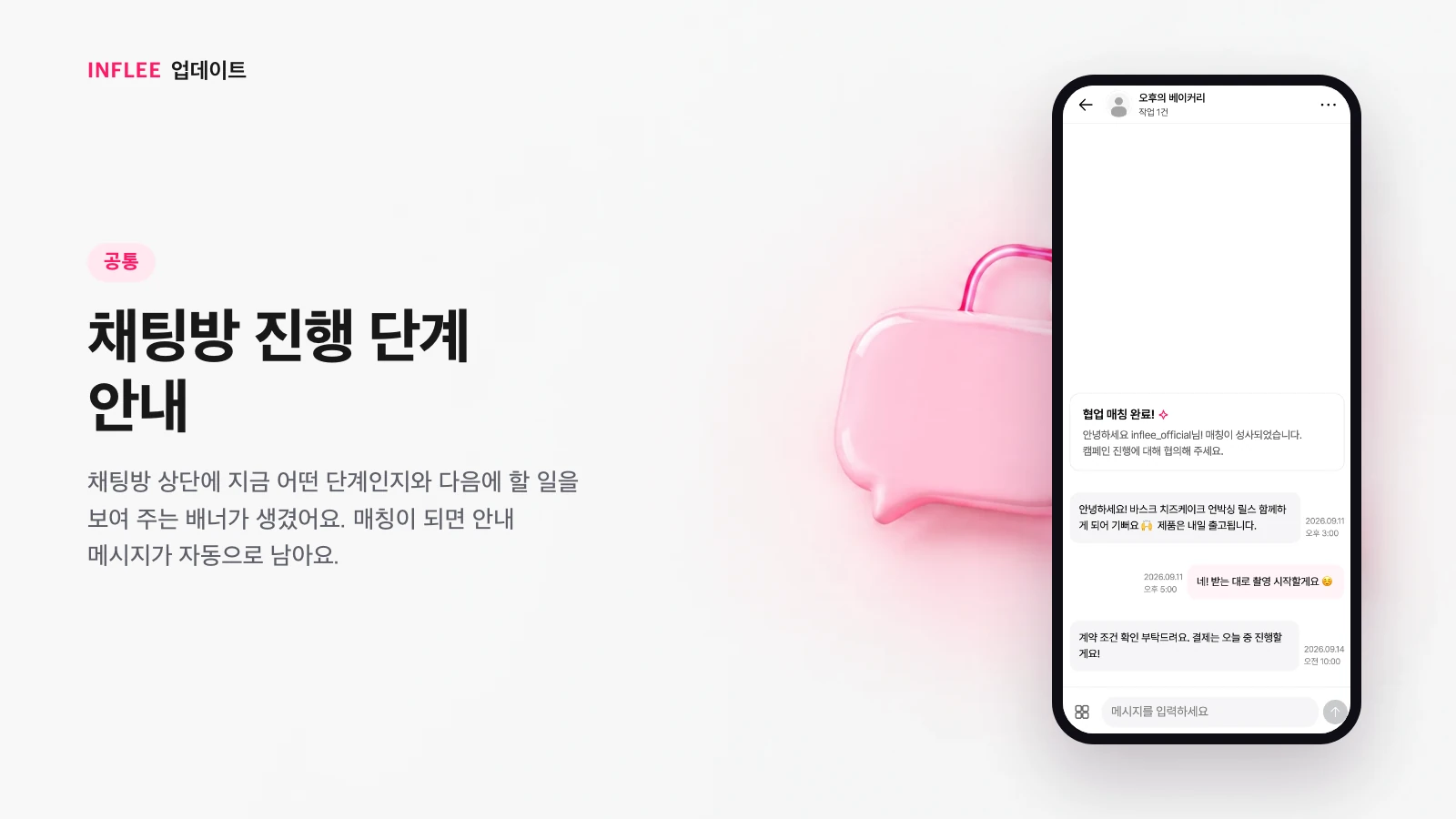
Collaboration stage guidance in chat
A banner at the top of the chat room now shows which stage you’re at and what to do next. When you’re matched, a guide message is posted automatically.
The banner at the top of the chat room tells you what stage the collaboration is at and what to do next. When you’re matched, a guide message is posted in the chat room automatically, making it easier to start the first conversation.
* Images show the current screen. The actual screen may change slightly with updates.
Open links in chat
Addresses in chat messages turn into links, and we show a safety notice before you leave for an external site.
Addresses in chat messages turn into links you can tap to open. Before you go to an external site, we show a safety notice first.
* Images show the current screen. The actual screen may change slightly with updates.
Better file downloads in chat
You can see download progress, and on iOS you can save files with the share sheet.
When you download a file in chat, you can see the progress. On iOS, you can save the file right away with the share sheet.
* Images show the current screen. The actual screen may change slightly with updates.
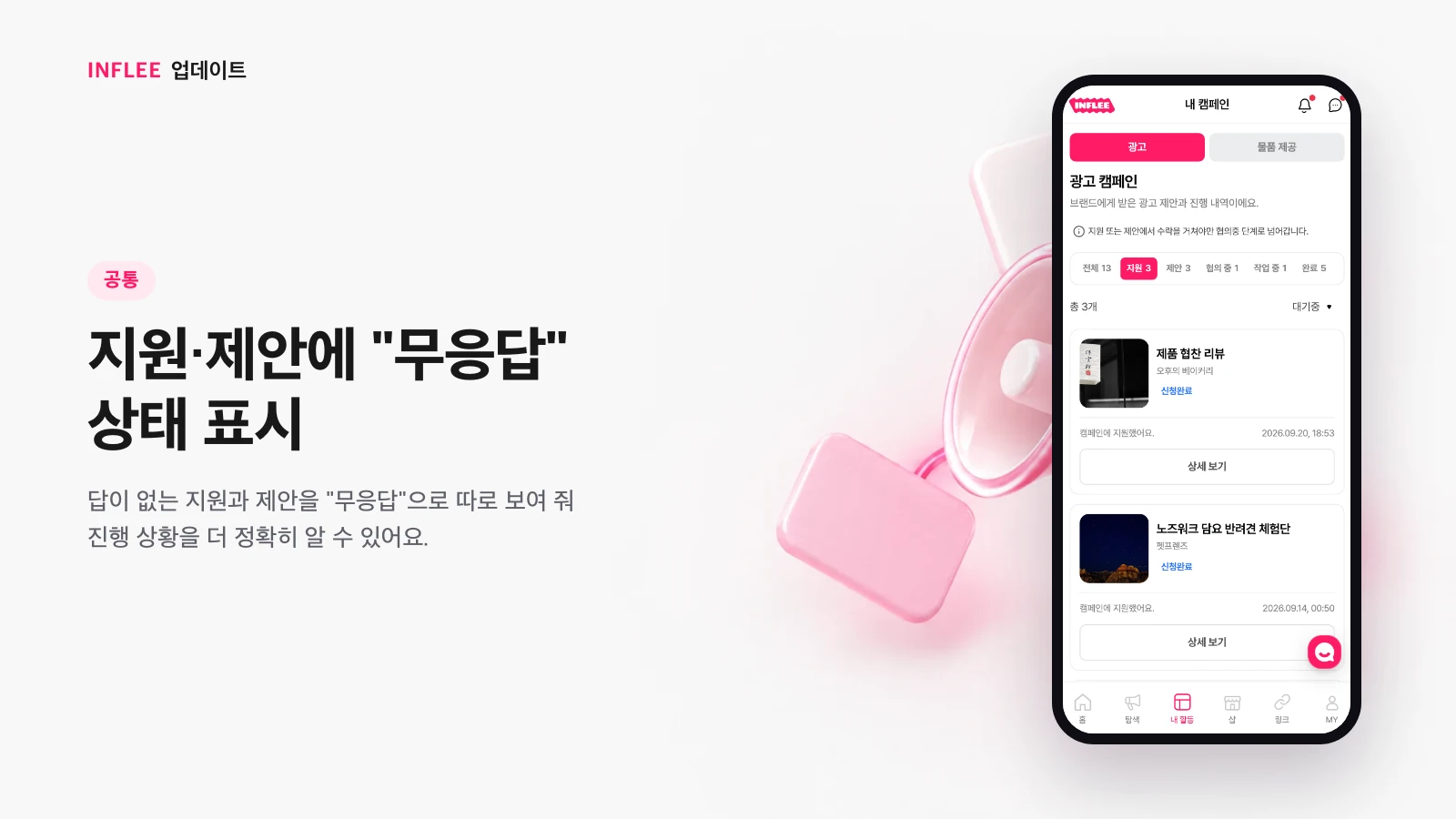
“No response” status for applications and offers
Applications and offers that haven’t received a reply are shown separately as “No response,” so you can track progress more accurately.
Applications and offers without a reply are now shown separately as “No response.” Telling apart what’s in progress from what’s gone unanswered helps you understand where things stand more accurately.
* Images show the current screen. The actual screen may change slightly with updates.
Refreshed account info
Manage your name and date of birth from account info, pick your birth date with a scroll wheel, and add 5–20 portfolio pieces without duplicates.
You can now manage your name and date of birth directly on the account info screen. Pick your birth date with a scroll wheel, and add 5 to 20 portfolio pieces — the same content can’t be added twice.
* Images show the current screen. The actual screen may change slightly with updates.
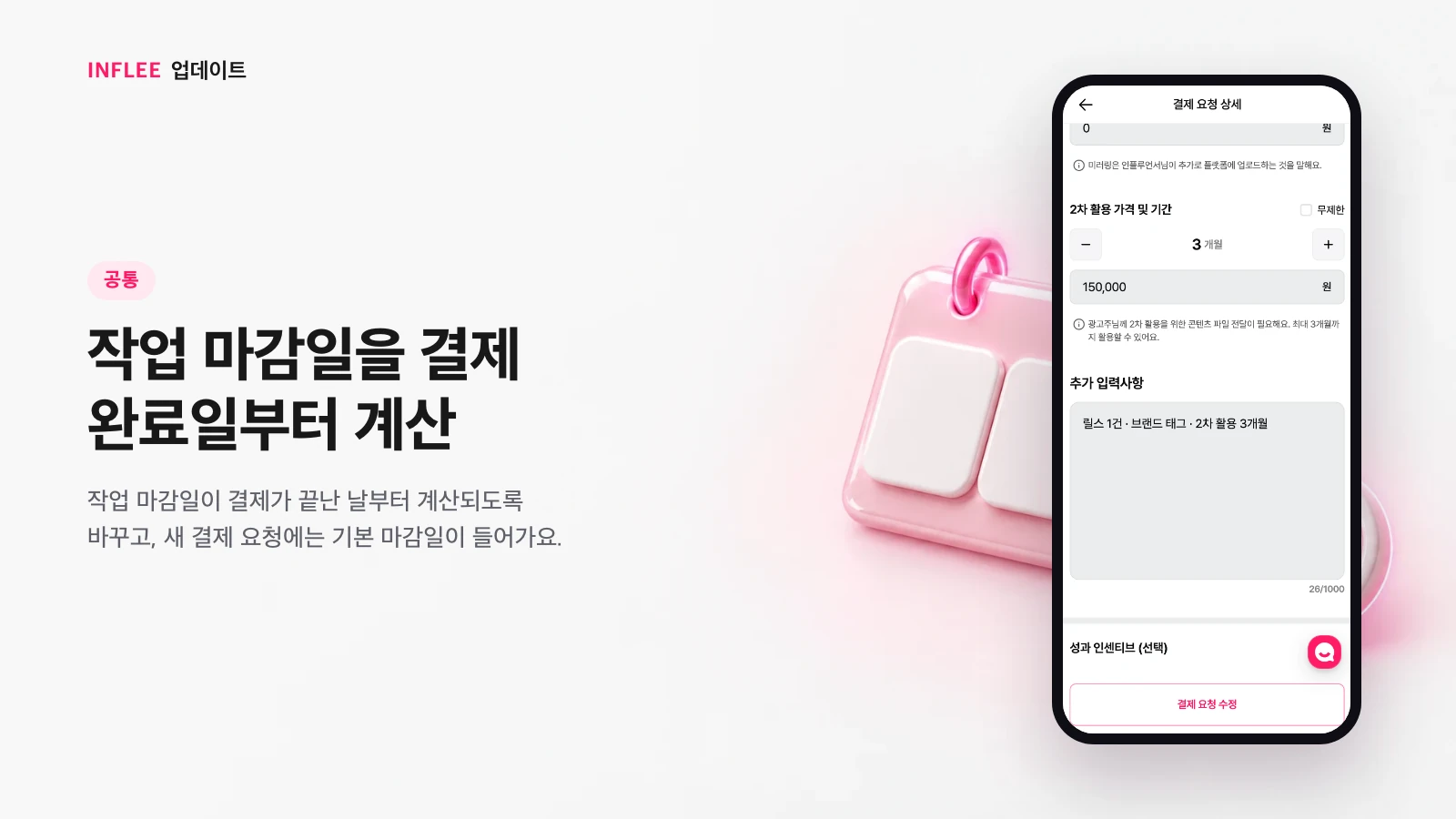
Work deadlines counted from the payment completion date
Work deadlines are now counted from the day payment is completed, and new payment requests come with a default deadline.
Work deadlines are now counted from the day payment is completed, not the day payment was requested. Your working time doesn’t shrink if payment is delayed, and new payment requests come with a default deadline already filled in.
* Images show the current screen. The actual screen may change slightly with updates.
Continue from mobile web to the app
When you visit on mobile web, we prompted you to continue in the inflee app.
When you visited on mobile web, we prompted you to continue in the inflee app. This prompt was removed in a later redesign and no longer appears.
* Images show the current screen. The actual screen may change slightly with updates.